This article explains
How to send email from your domain when using the eventhub.com.au SAAS application
When sending an email its possible to update 2 "sender" variables
The ‘From Name’ and the ‘From Sender’ mail domain.
The From Name is just text and can be set inside an EDM - or defaulted or at brand level. It might be like from.... "CEO : Mary Johns"… or “Company-name - Events Team” This can be done in brand » mail settings or during the process when sending an EDM.
The Email address (FROM) is more problematic and more restricted. This is to Stop SPAM. Event Hub owns and has validated the domain eventhub.com.au. We can thus send an email using the domain ‘eventhub.com.au’ without being tagged as a SPAMMER by the receiving email systems. This is how your first emails will be sent. Until you have added, and authorised your own domain.
We default sending to [email protected]. but you can still change the
front-text to "any-text"@. for example
[email protected] *(don't use spaces pls)
[email protected]This is a now a standard and best practice need and is HIGHLY recommended
This is set up in your BRAND design area. A mail domain can be set PER brand.
Step 1
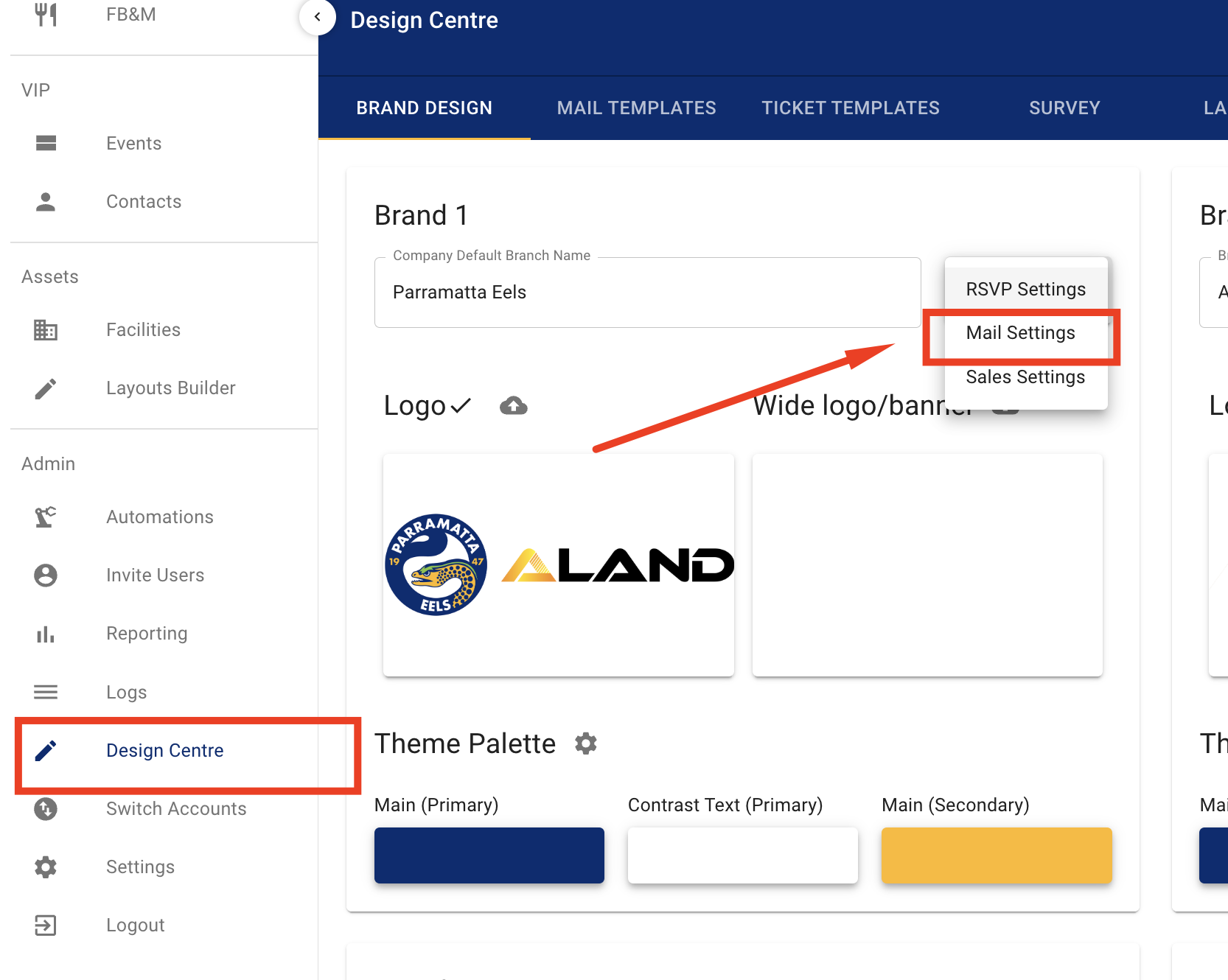
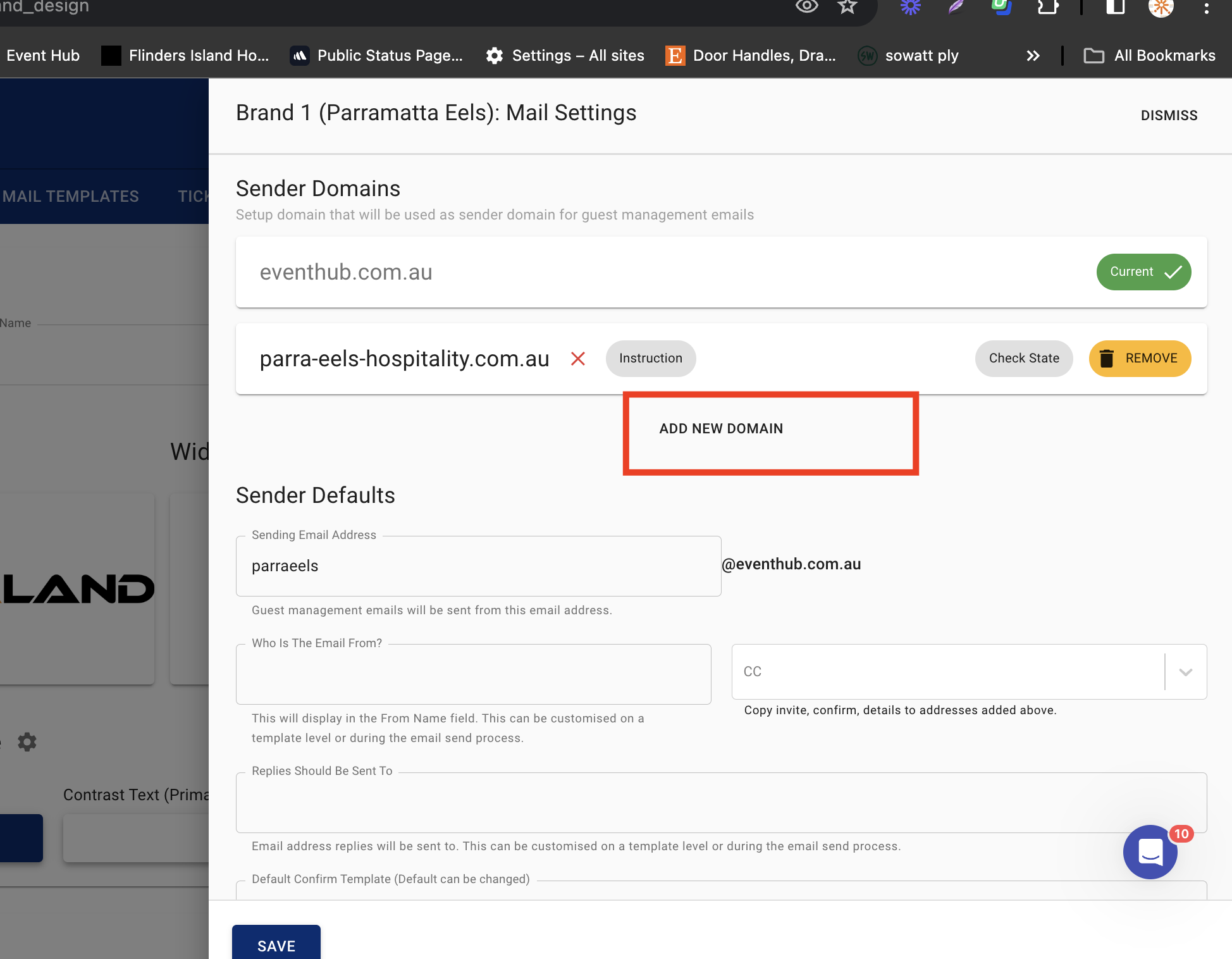
Step 2
Once your Domain is added here. We share back special codes you need to give to your IT to prove to other mail systems we are allowed to send on your behalf. We do also reccomend using sub-domains.
Once a NEW Domain is added you will be shared the dns records as per below below.
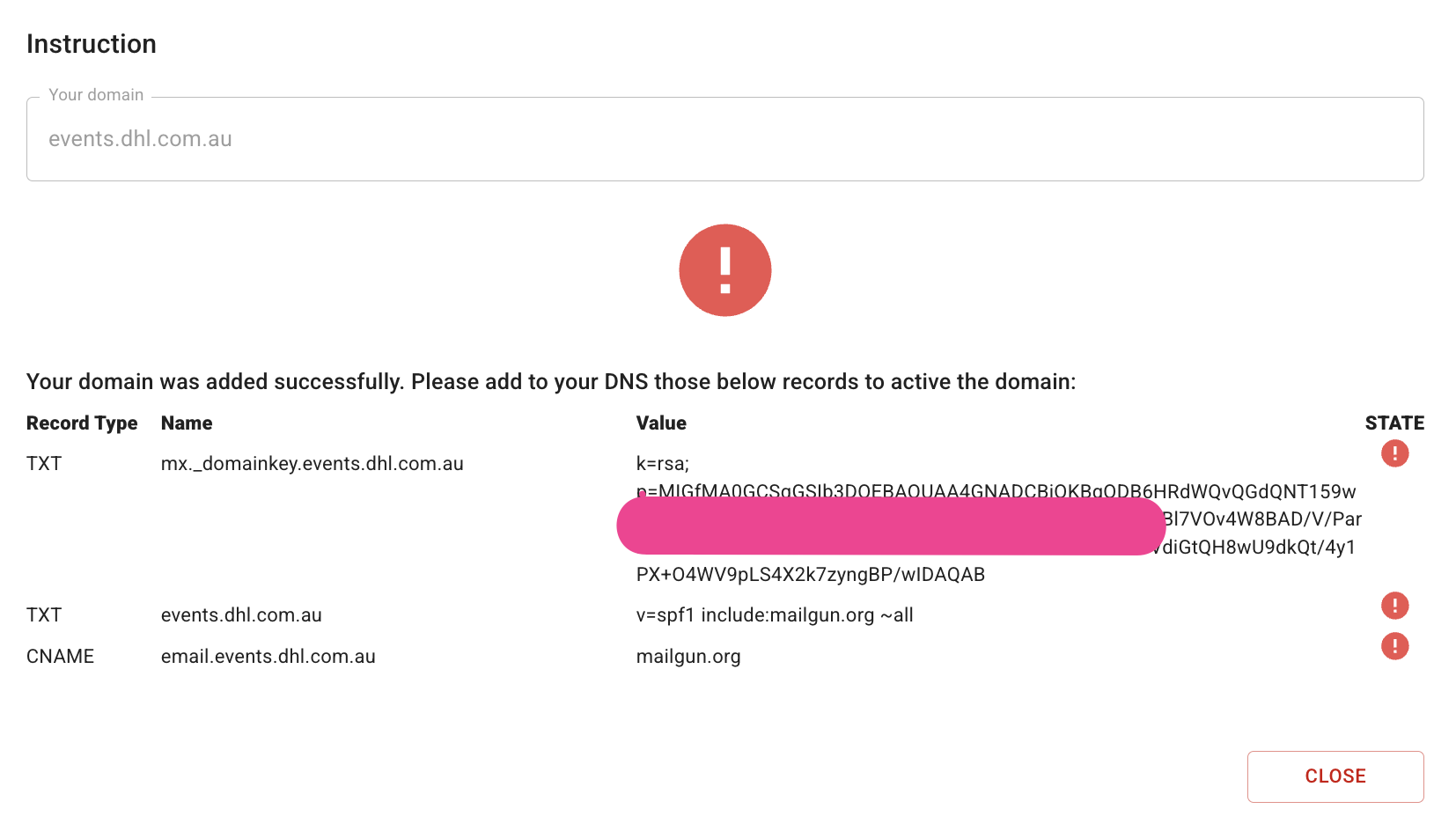
Step3
Share these records with your local IT. Once they add to your domain registry you will be able send and set your domain as the default sender
Thank you.
** We are happy to help test this once the mail tags are set by your local iT team