This guide walks you through setting up the Westpac PayWay integration to process product sales payments securely.
Click on Settings in the left sidebar under the Admin section to access your company configuration options.

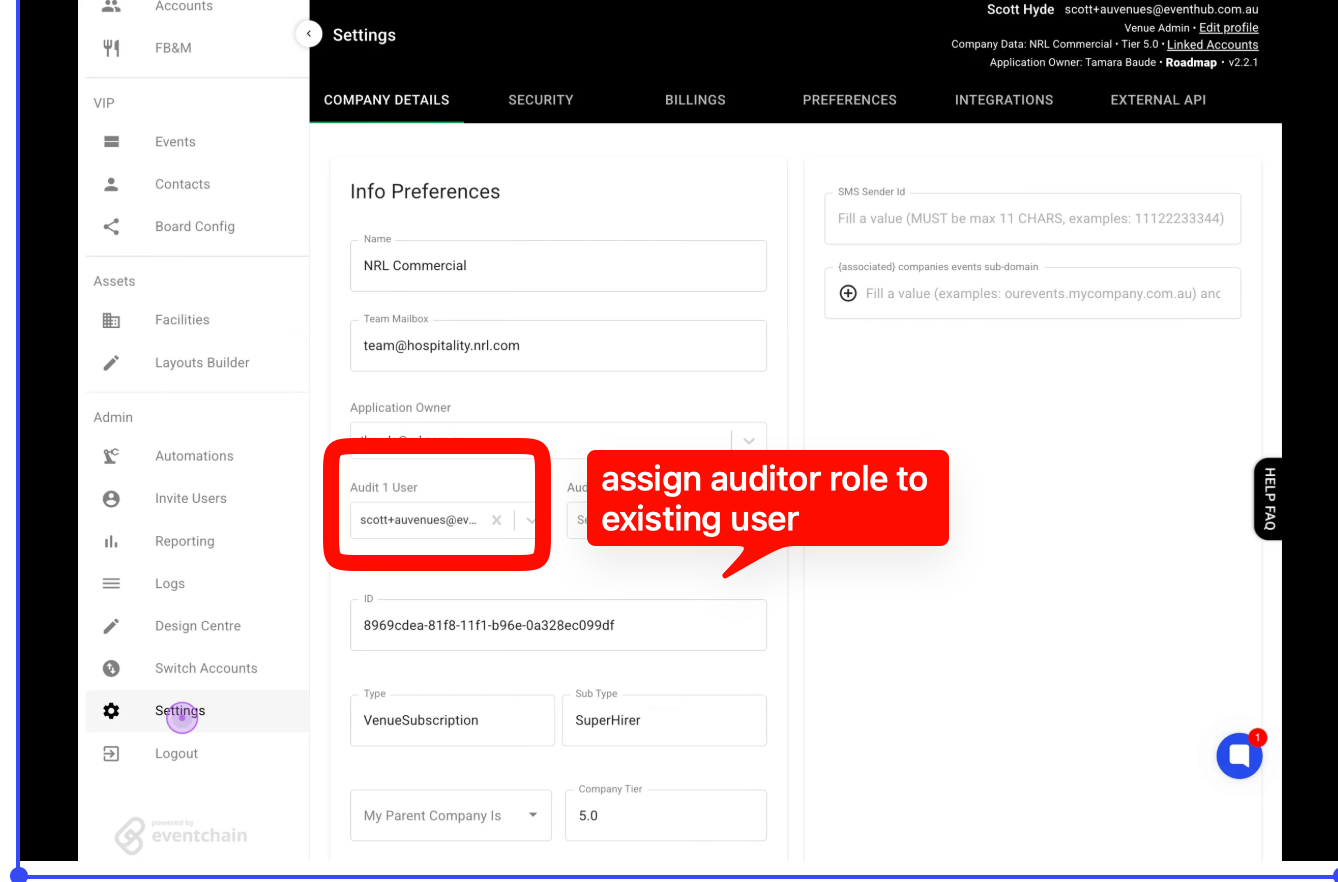
Click on the INTEGRATIONS tab in the top navigation bar to view available integration options.
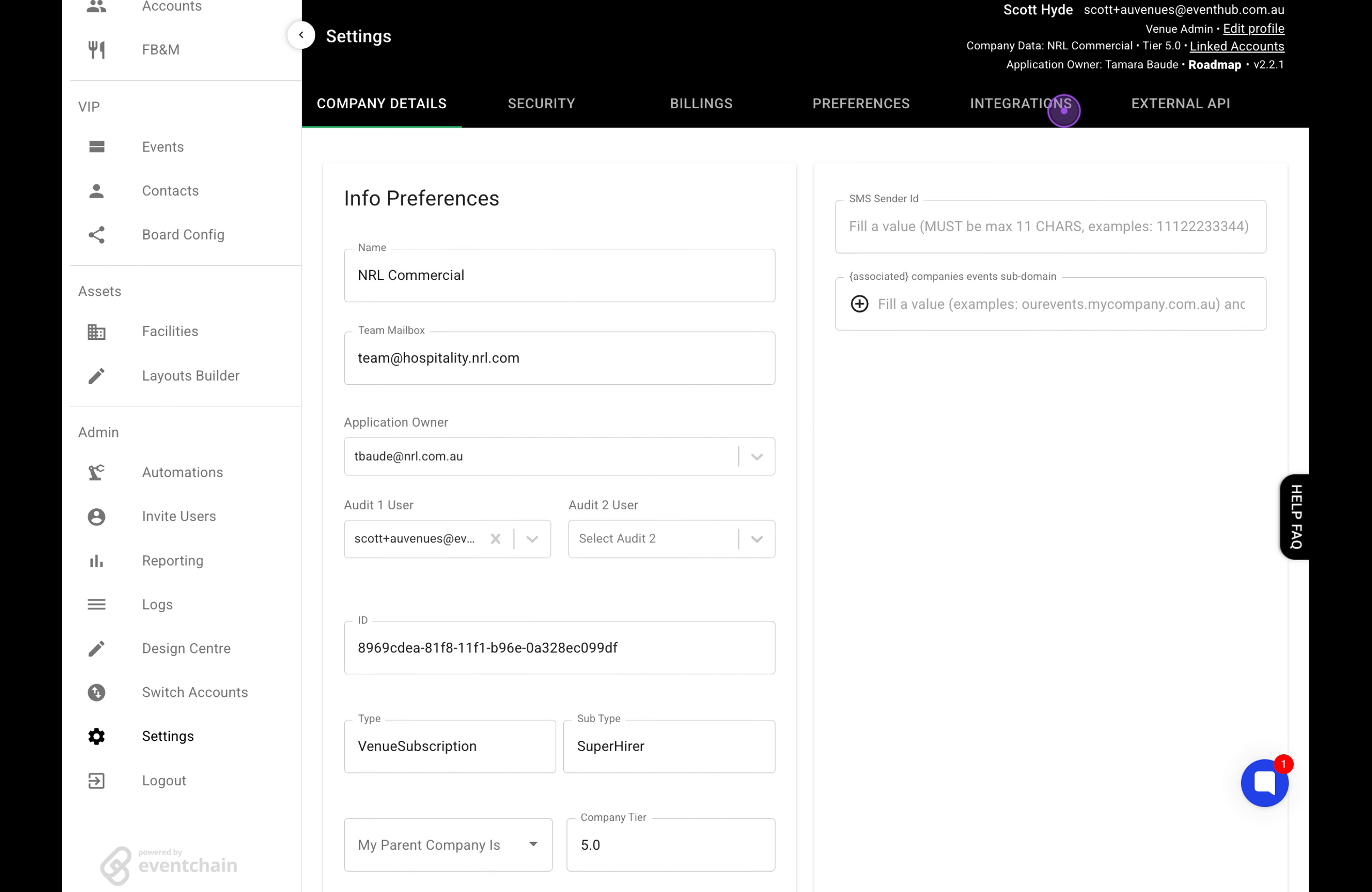
Click on the PRODUCT SALES sub-tab to access the payment integration configuration panel.
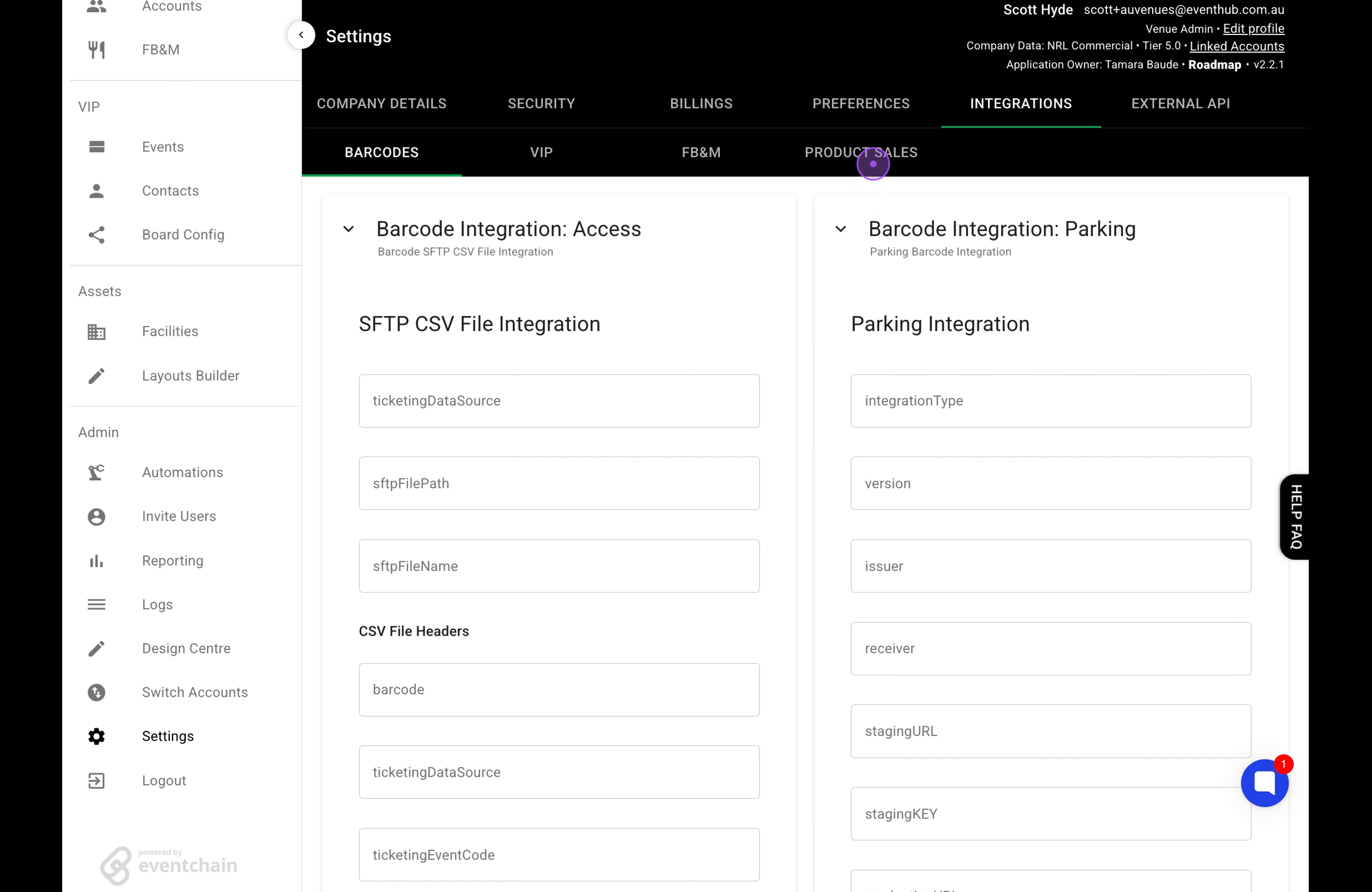
Click the EDIT button next to the PayWay Merchant Id field, enter your merchant ID (e.g., ABCD12344), and click SAVE.
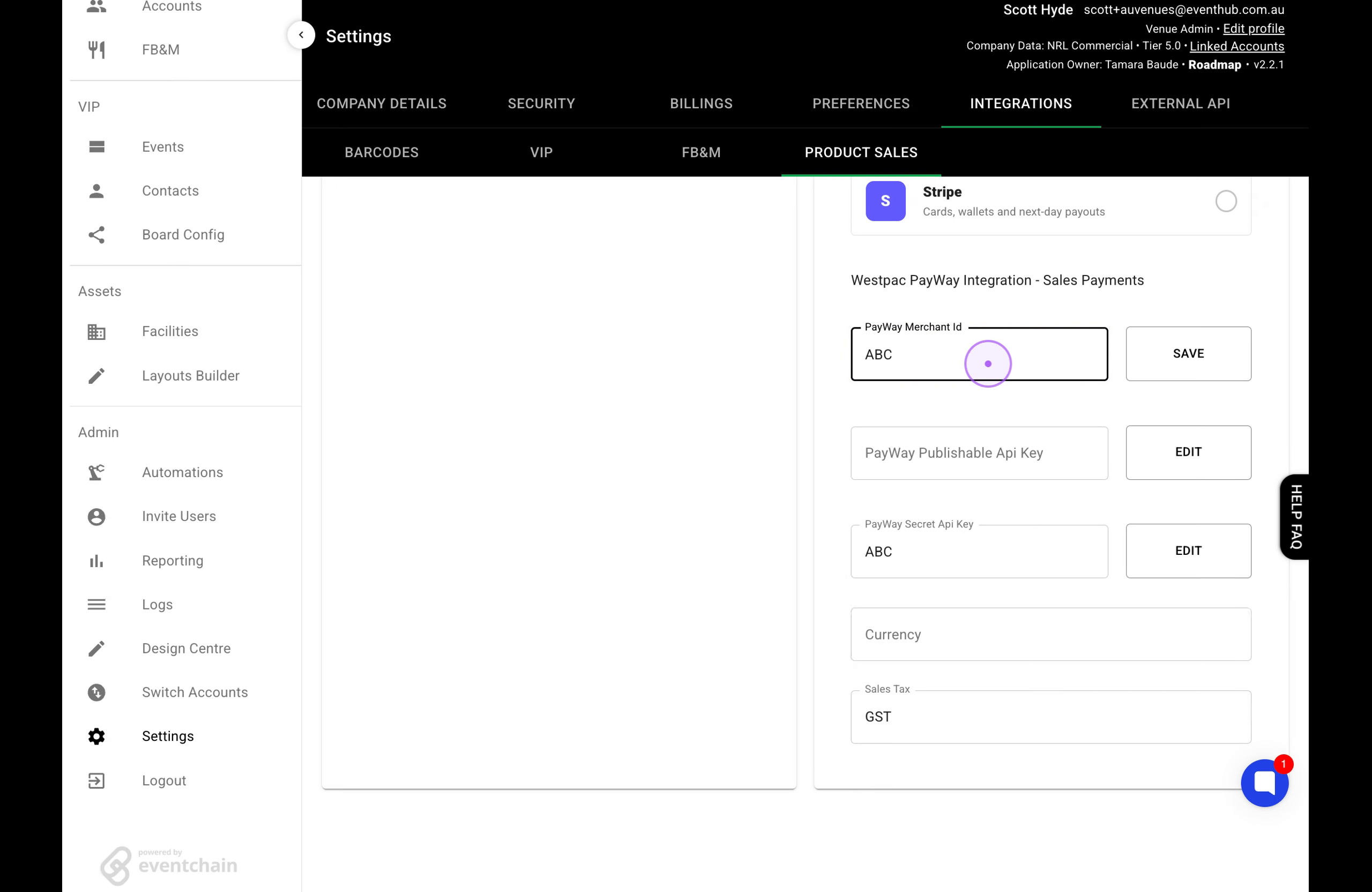
Click the EDIT button for the PayWay Publishable Api Key field, clear any existing value, enter your publishable key (e.g., ABCDE345), and click SAVE.
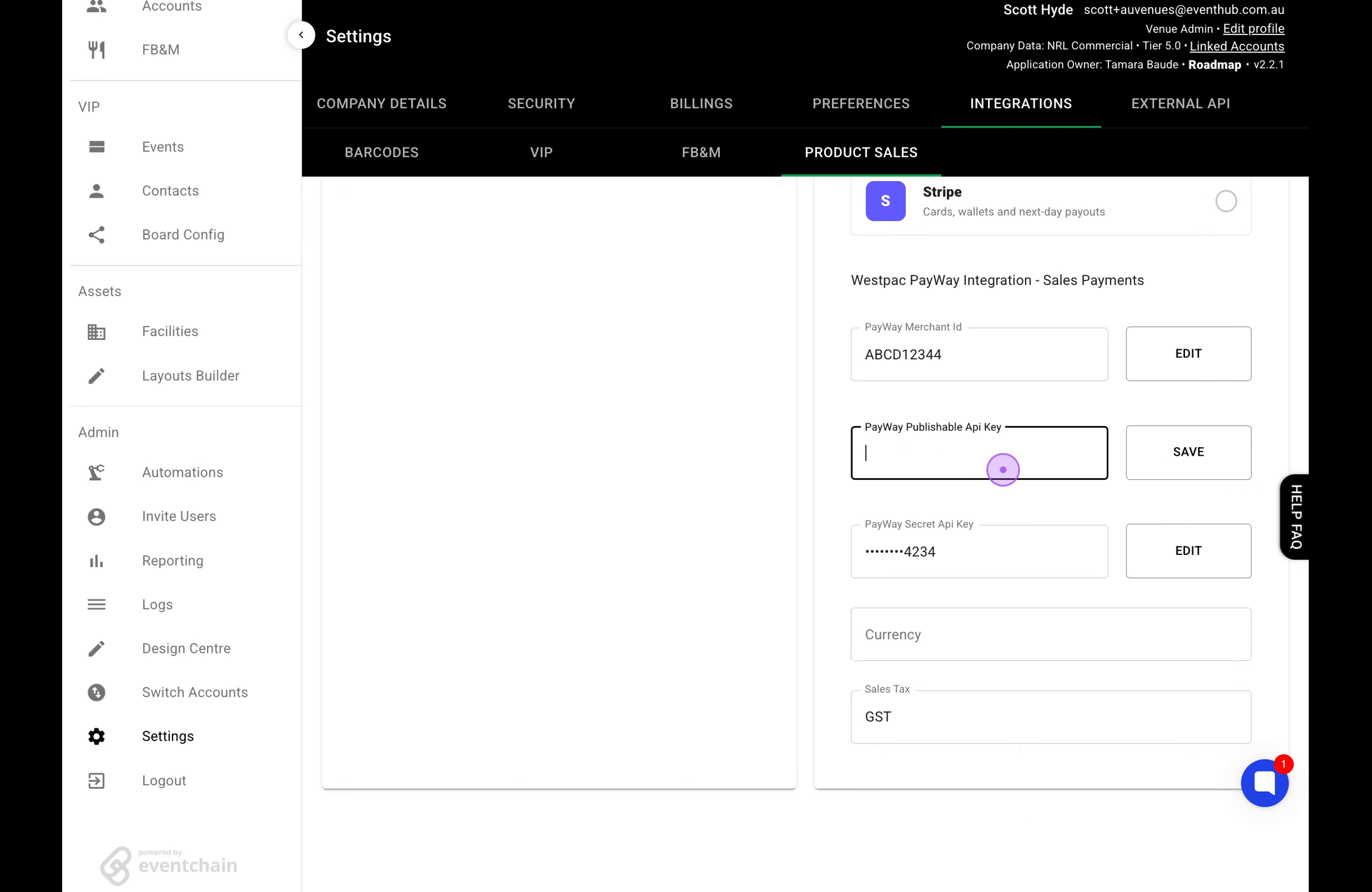
Click the EDIT button for the PayWay Secret Api Key field, clear the existing value using backspace, enter your secret key (e.g., 1234567890), and click SAVE.

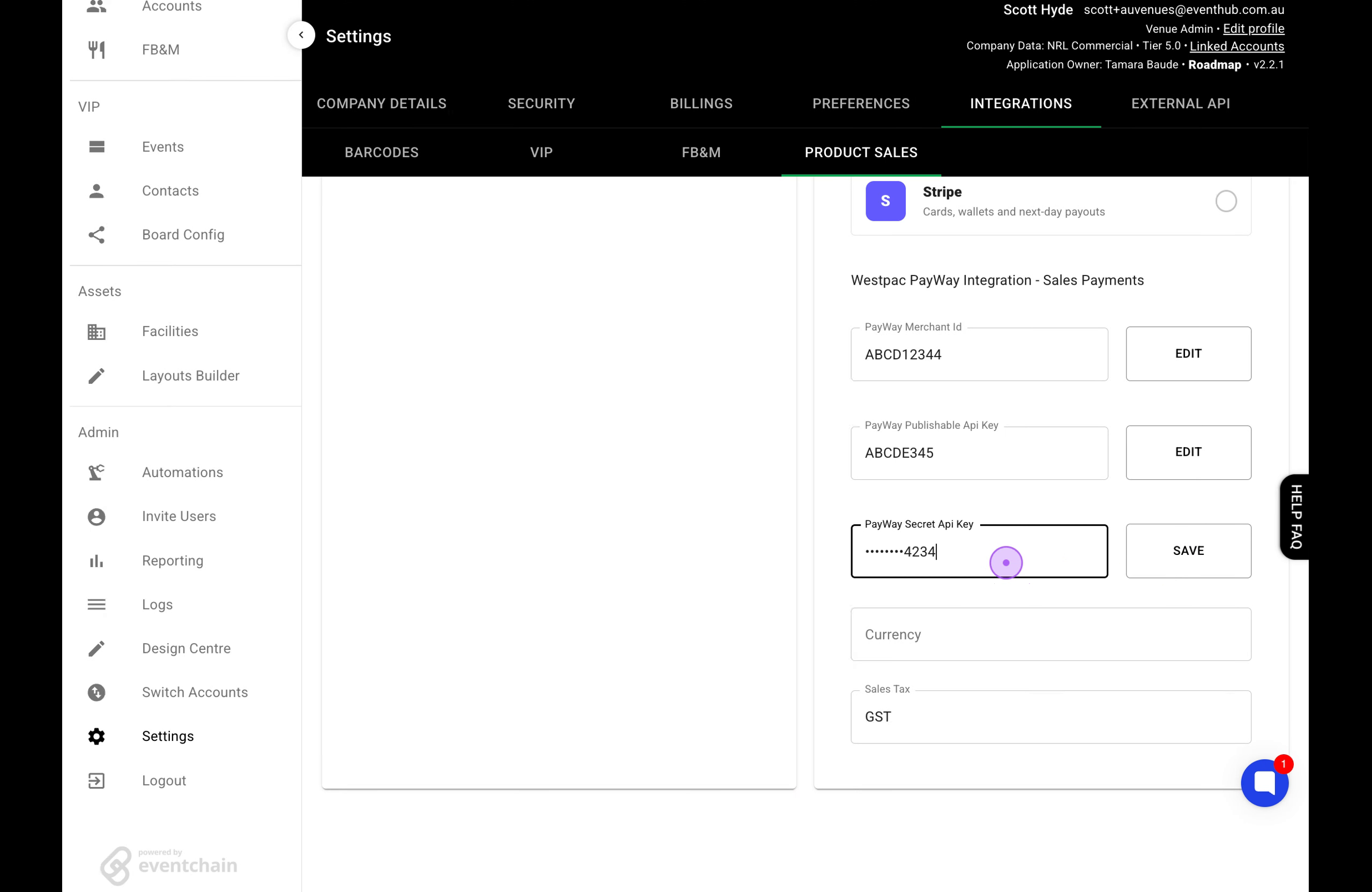
Note: After saving each field, you should see a 'Config Updated' confirmation toast. Ensure all three credentials (Merchant ID, Publishable Key, and Secret Key) are configured correctly for the integration to function.