company logo

Help center

Go to eventChainLogin
webappprivacyt&cs
Powered by
All collectionsQuick Start basics How to Log In to Event Hub when you forgot your password

How to Log In to Event Hub when you forgot your password

Access your Event Hub account when you forgot your password

VA N·June 19, 2026

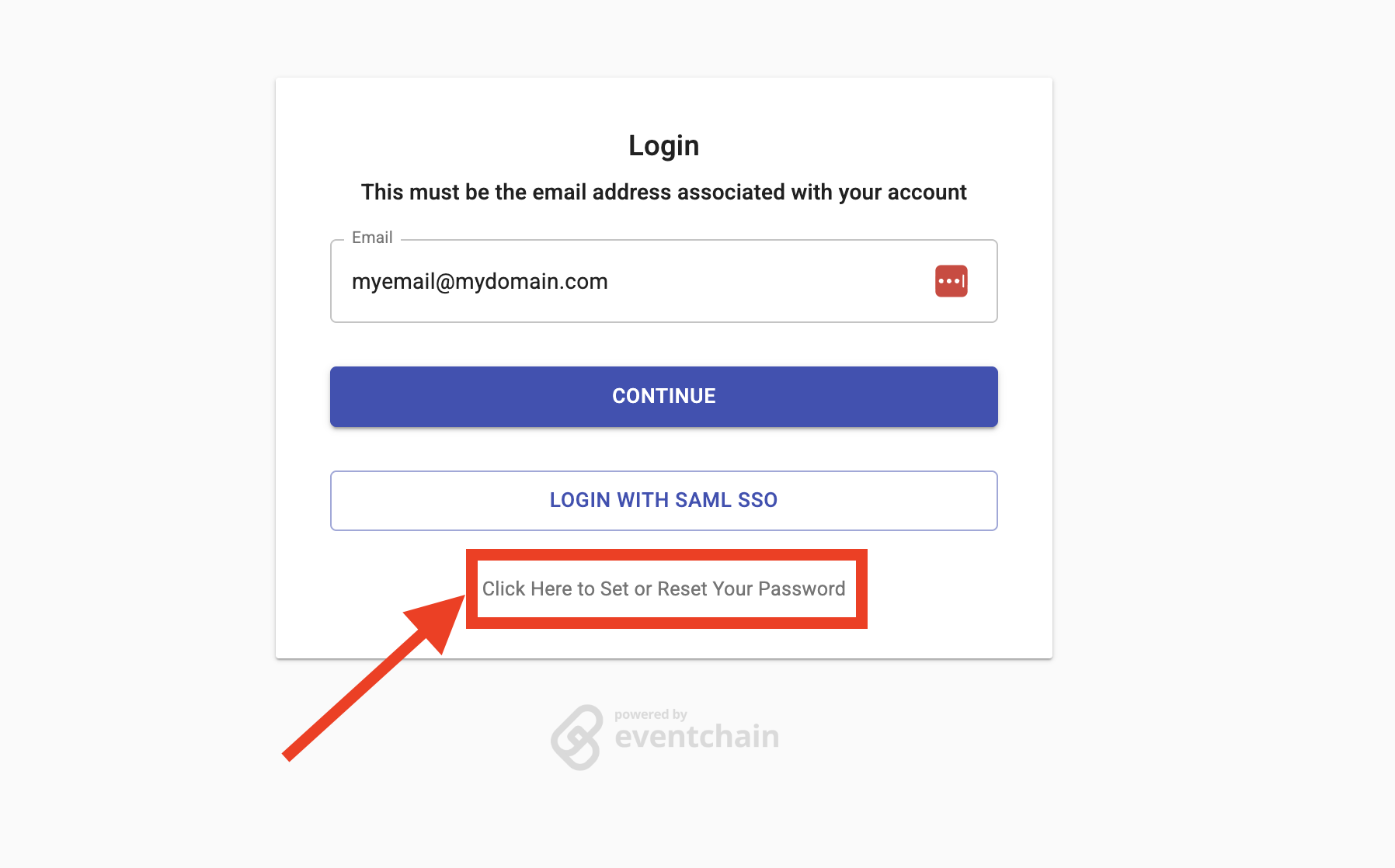
On the login screen, click “Click Here to Set or Reset Your Password“

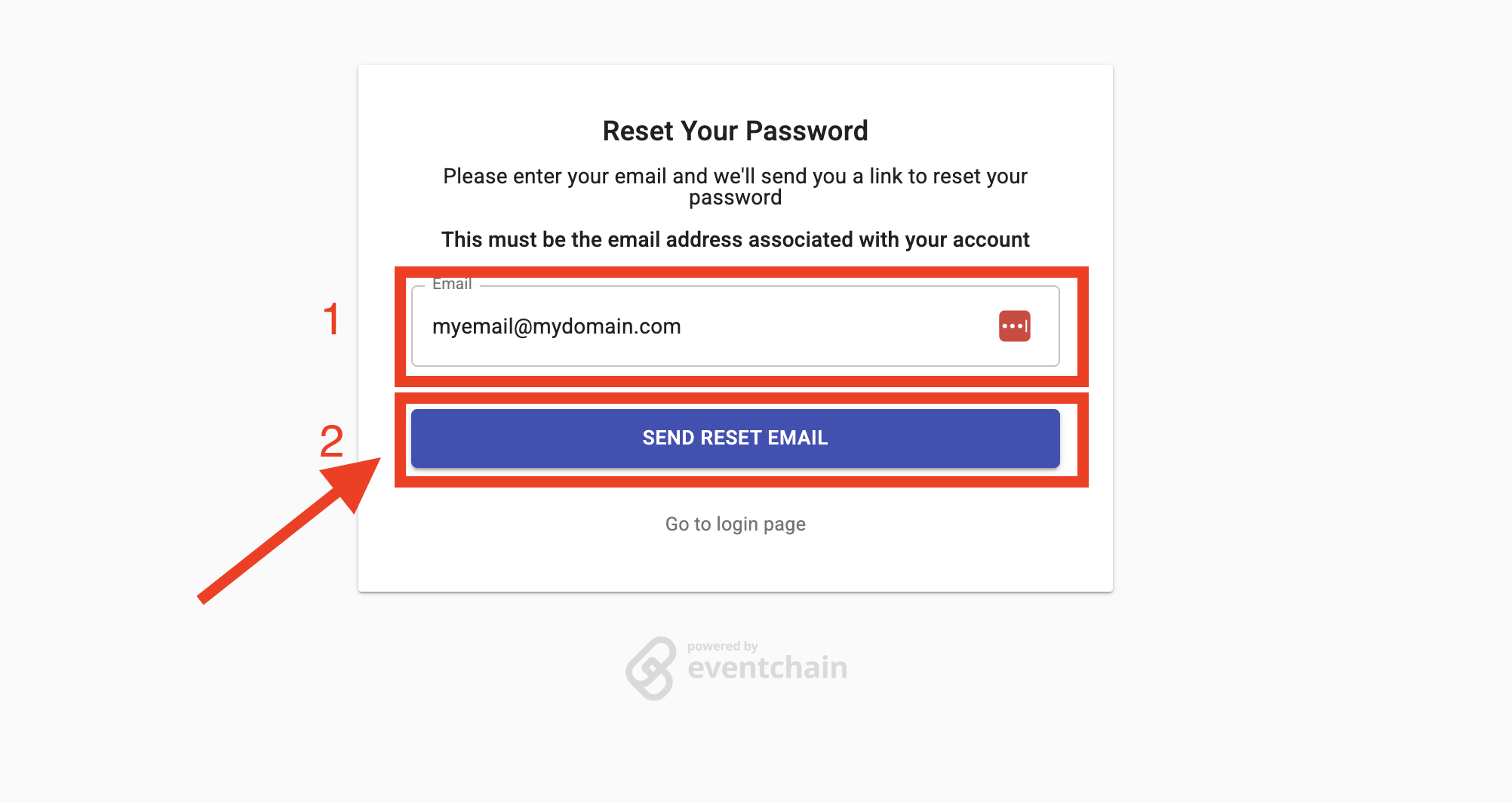
On the forgot password screen, enter your email and click “SEND RESET EMAIL”

Check your mailbox then follow the structions provided

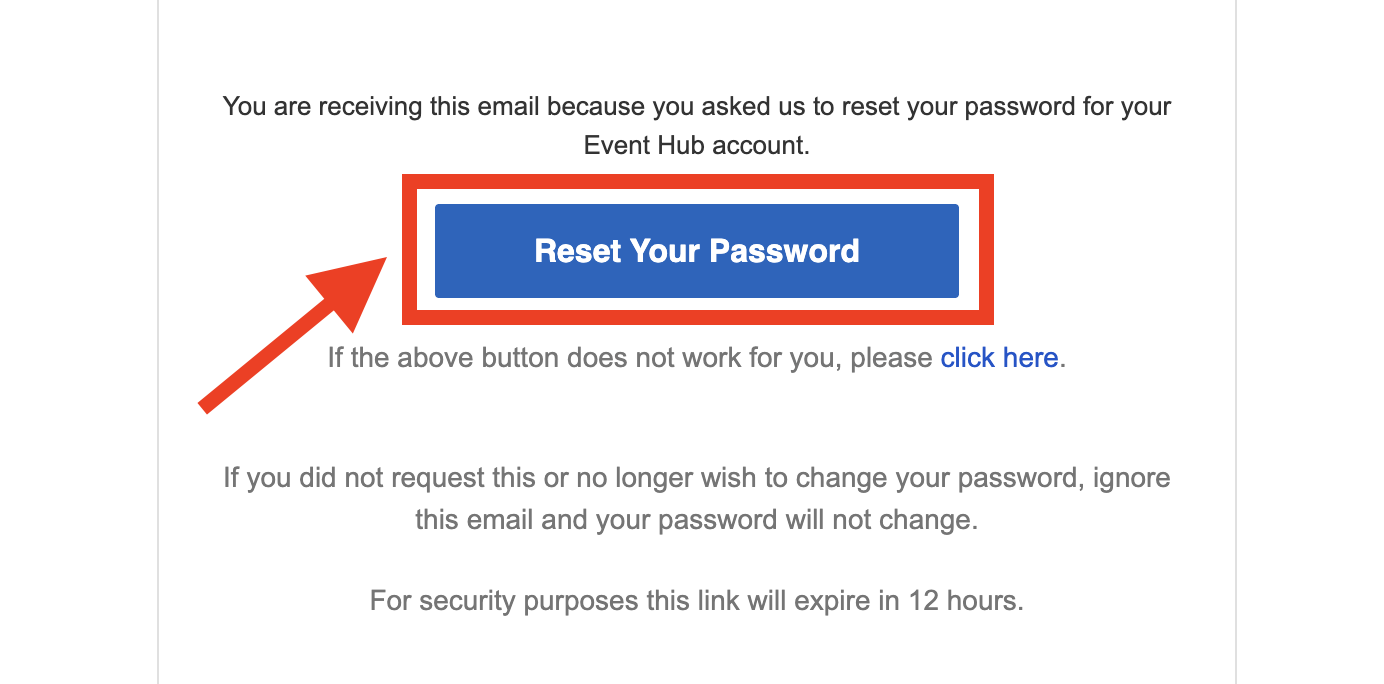
On your email, click “Reset Your Password”. This will redirect you to the Event Hub password reset page.
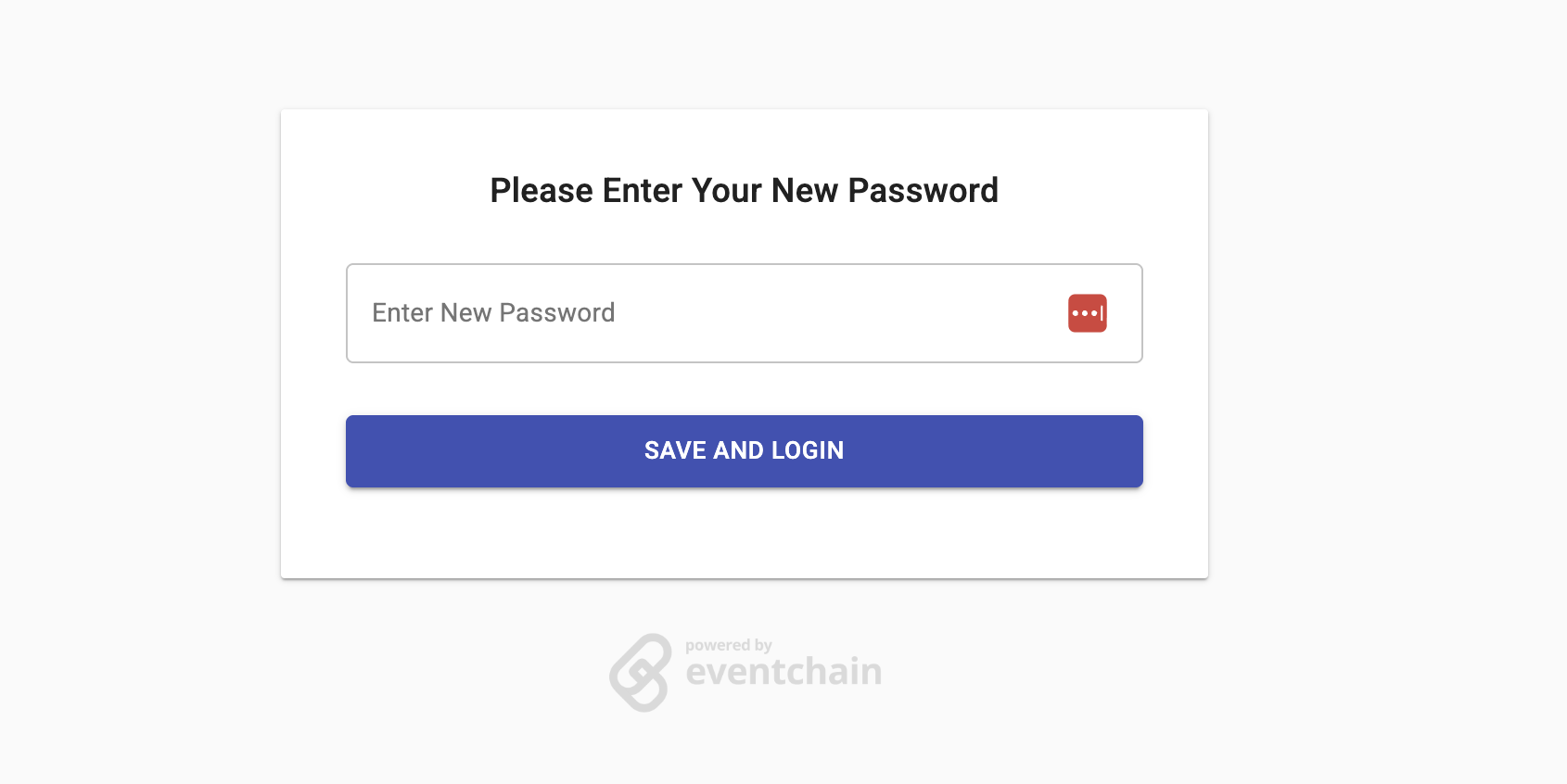
On the Event Hub password reset page, type your new valid password then click “Save and Login”
TROUBLESHOOTING: Password Requirements

Your password must be at least 8 characters long and meet the following requirements:

  • At least one lowercase letter (a-z)

  • At least one uppercase letter (A-Z)

  • At least one numeric character (0-9)

  • At least one special character (e.g., !, @, #, $)
Did this answer your question?
😞
😐
😁