After uploading the new client and driver lists, you may need to update the rates for previously created jobs.
Use the Sync Rates feature to update pricing for jobs that don't match the current master profile rates. This bulk update tool allows you to select a date range and synchronize all affected jobs at once.
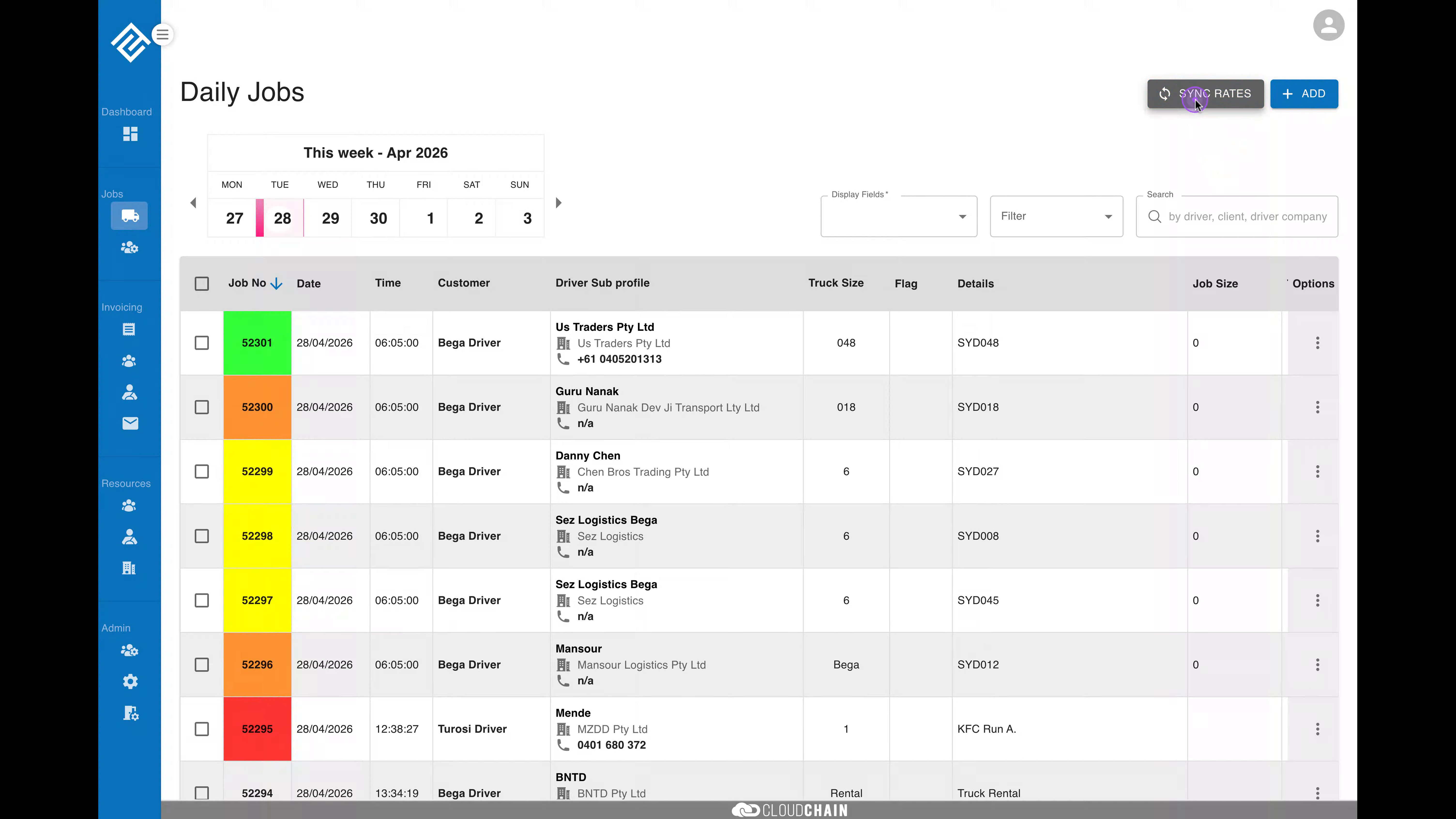
Navigate to the Daily Jobs page and click the blue SYNC RATES button in the top right corner to open the date selection modal.
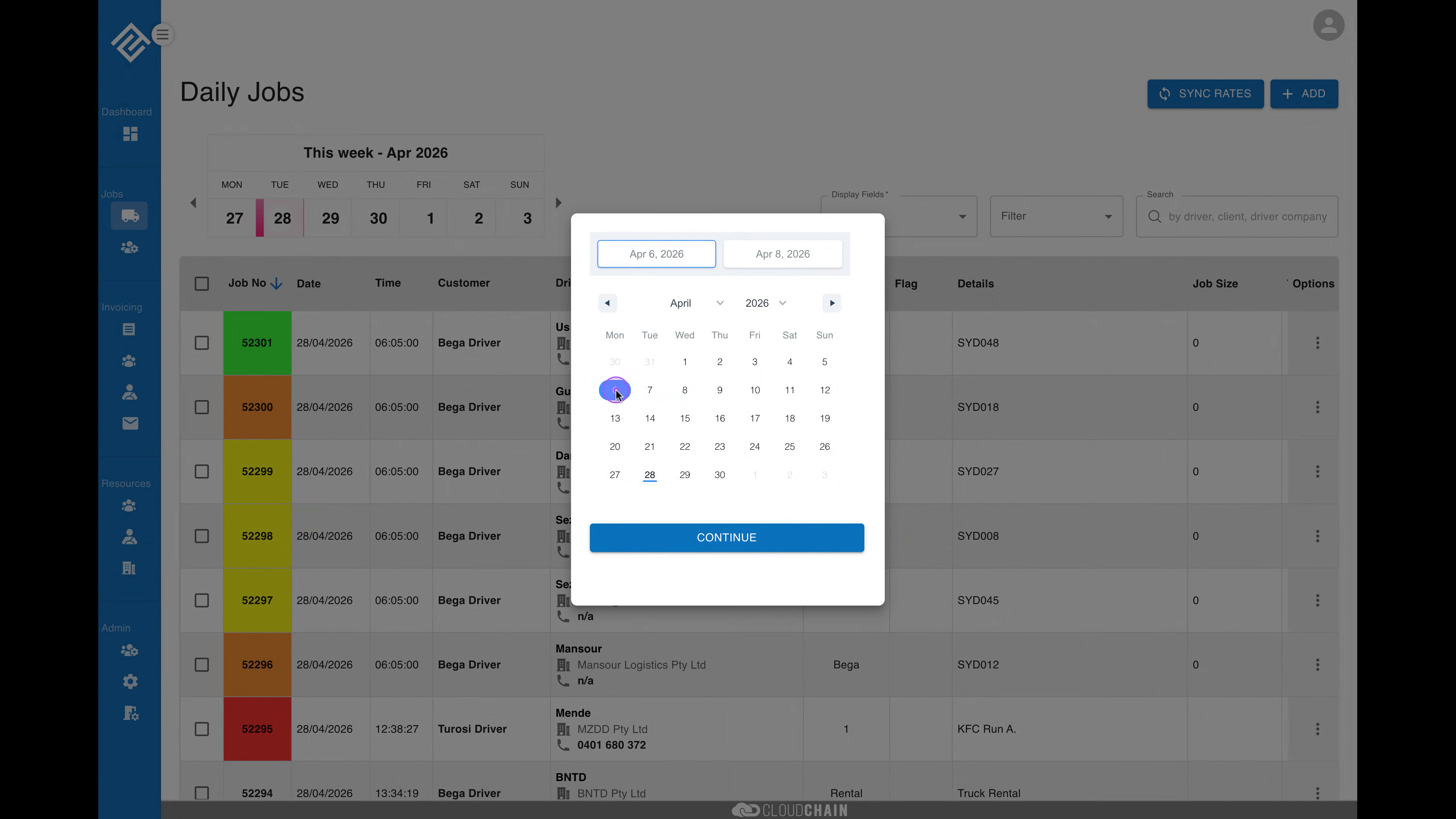
Once the calendar modal opens, click on the date you want to start the synchronization from. The selected date will be highlighted.
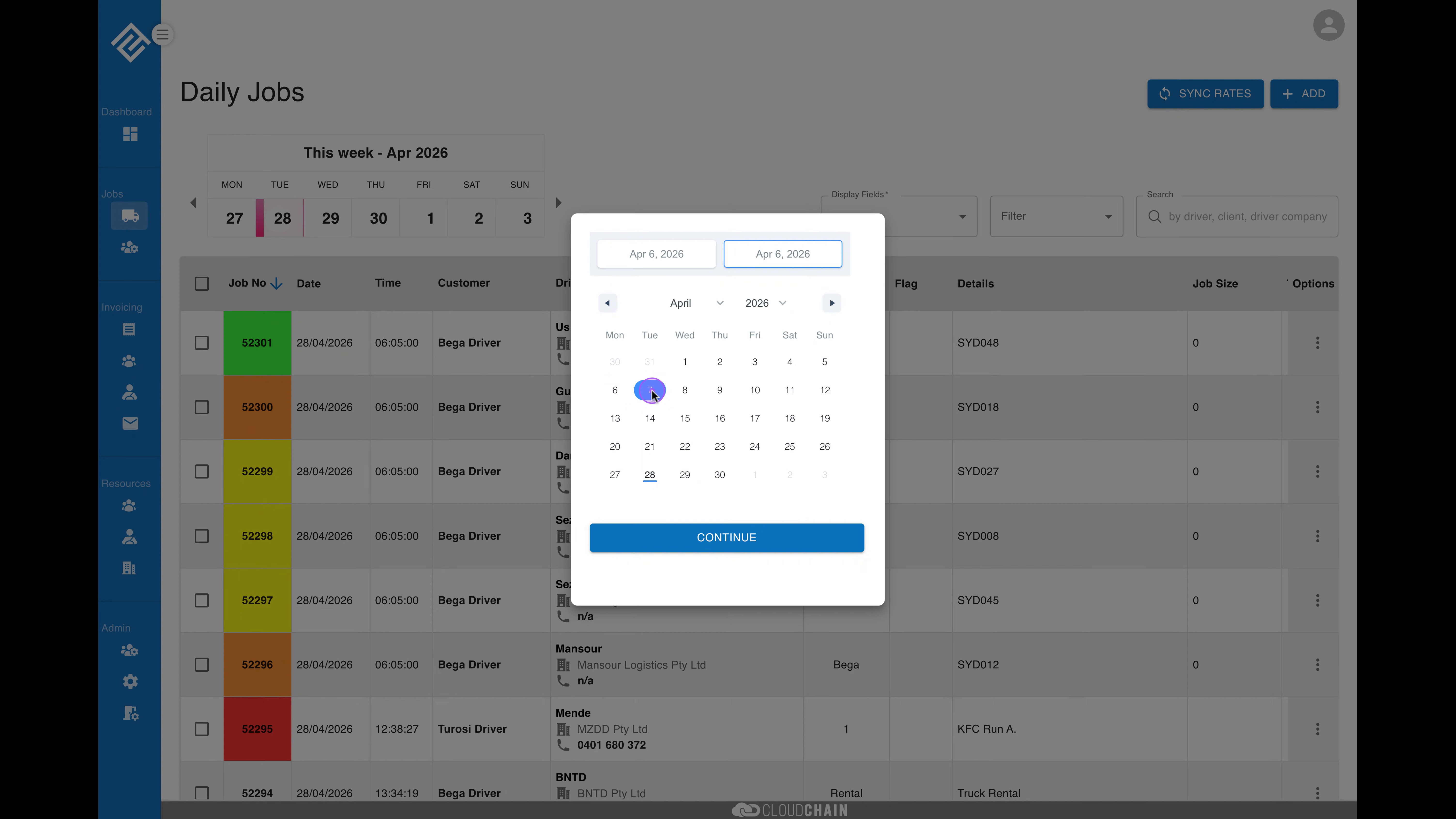
Next, click on the end date to complete your date range selection. The system will highlight the entire range between your start and end dates.
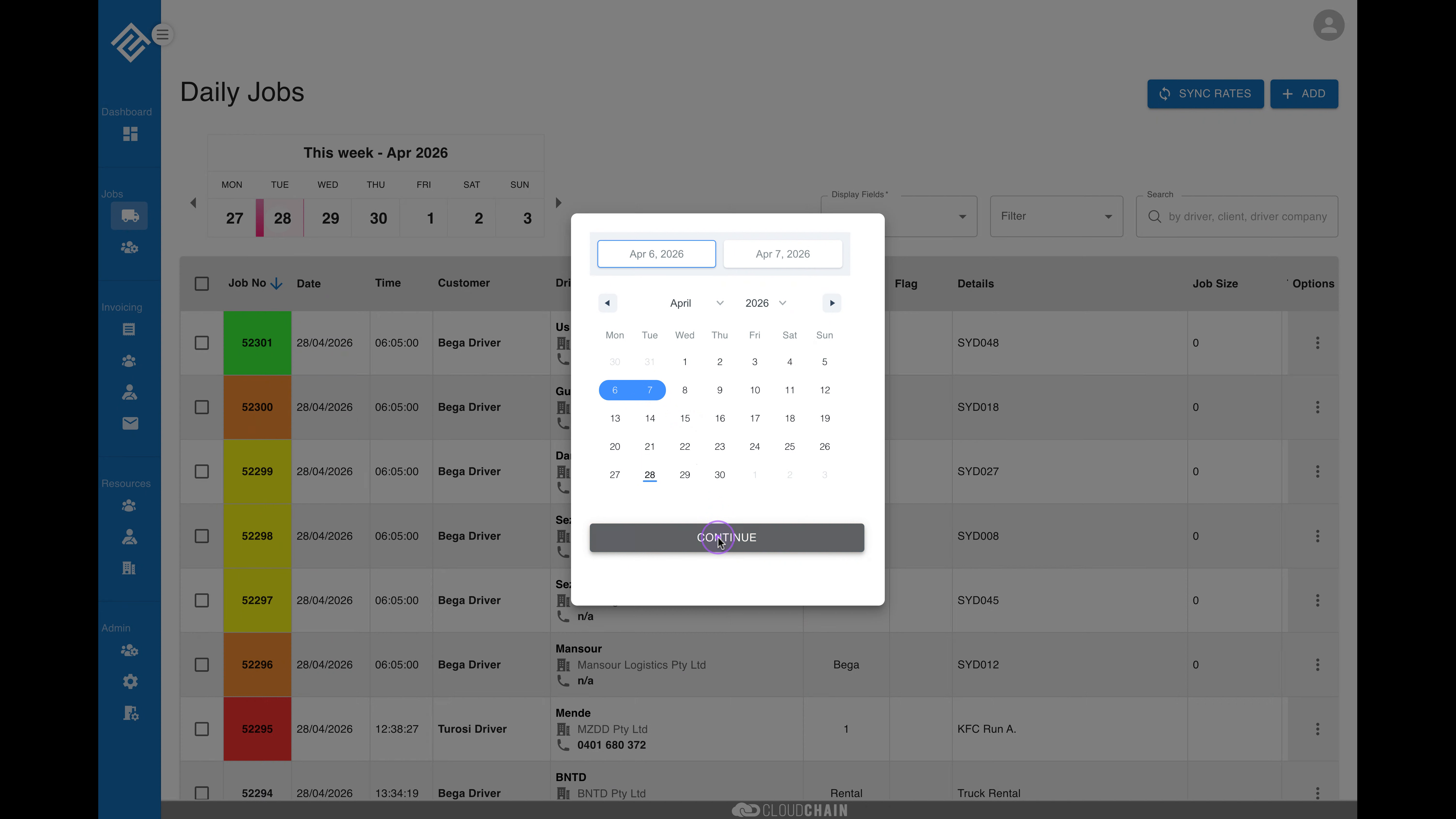
With your date range selected, click the blue Continue button to proceed. The system will analyze jobs in the selected date range and display a confirmation dialog showing how many jobs have mismatched rates.
Review the confirmation dialog which shows the time period and the number of jobs with mismatch rates. Click the Confirm button to apply the rate synchronization.
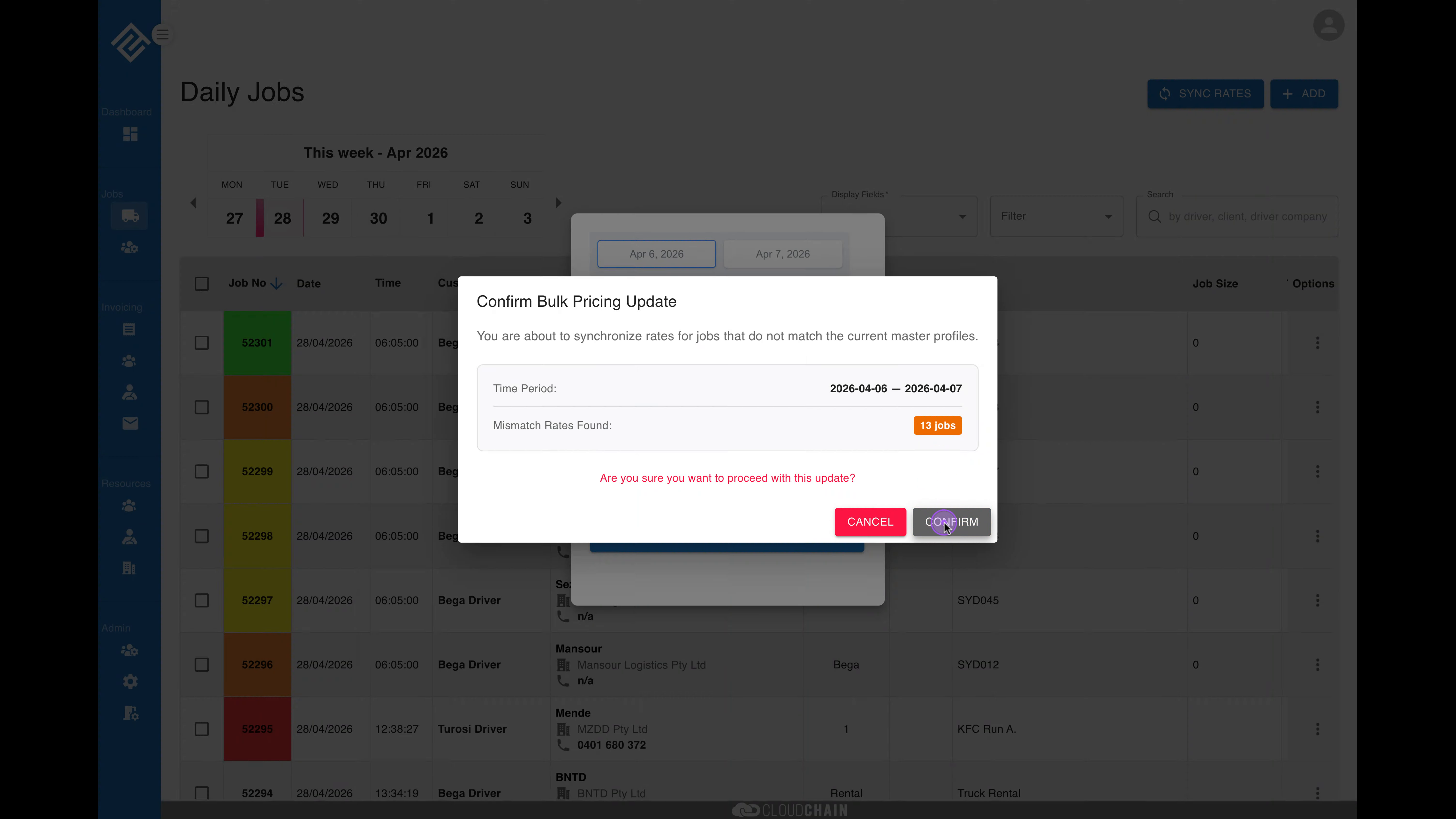
Note: You can cancel the operation at any time before clicking Confirm. If the number of affected jobs is different than expected, you can go back and adjust your date range.

