Follow these steps to locate and copy your External API authorization token for use with third-party integrations and webhook configurations.
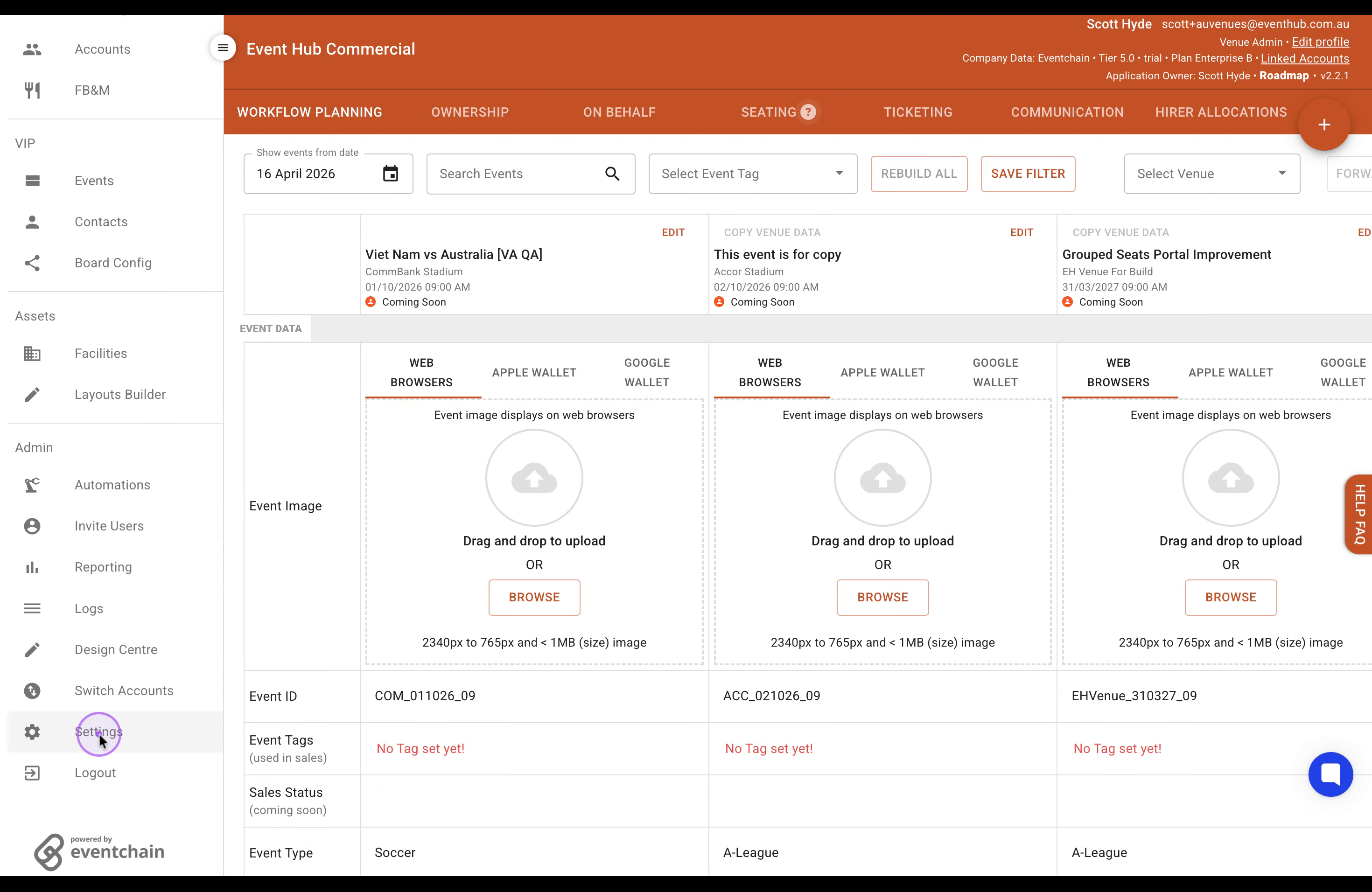
Access Settings
Click on the Settings option in the left sidebar navigation menu to open your account settings page.
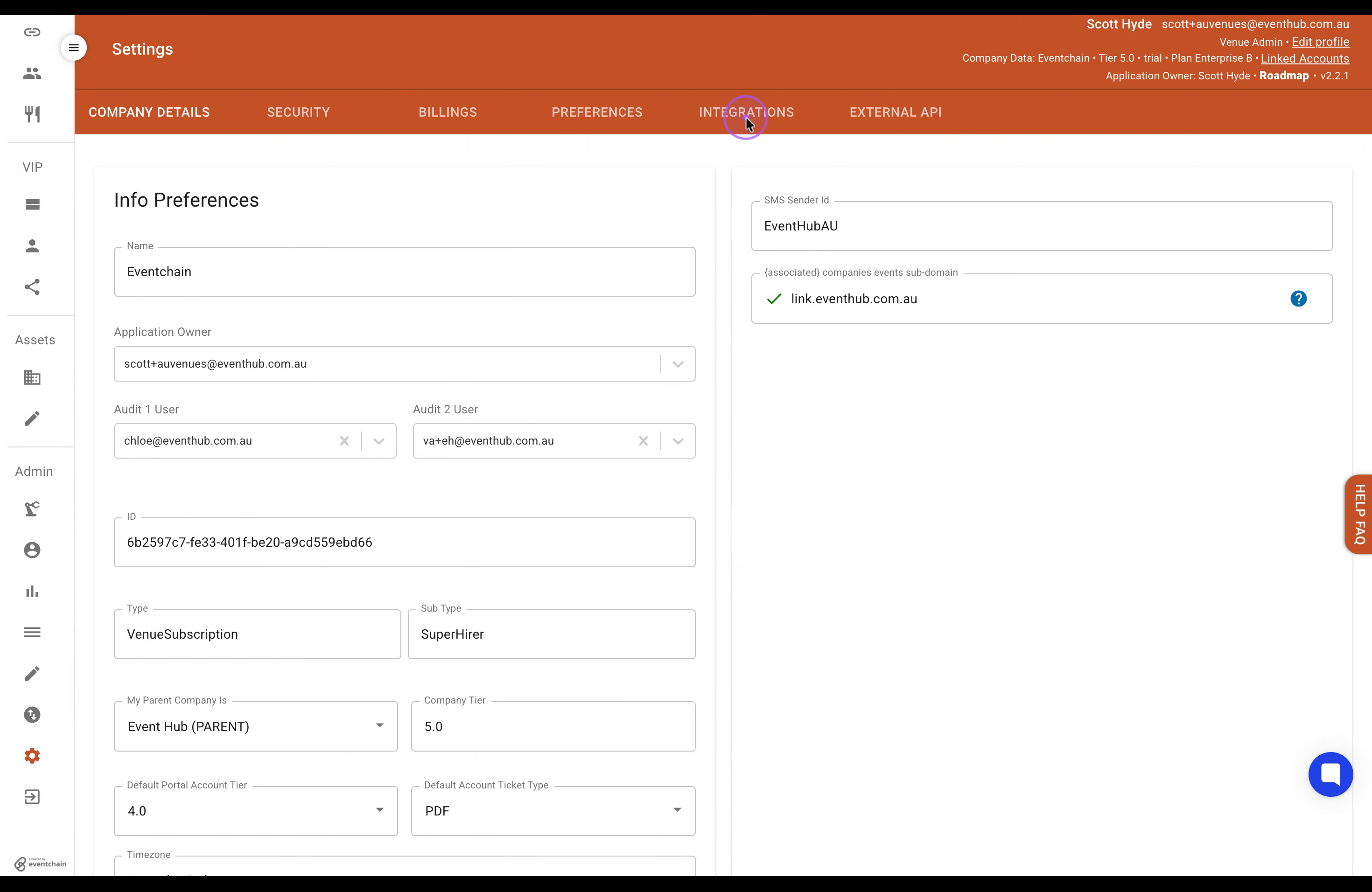
Navigate to Integrations
Once in Settings, click on the INTEGRATIONS tab located in the top navigation bar.
Copy Your Token
Click the COPY TOKEN button to copy your authorization token to the clipboard for use in external applications.
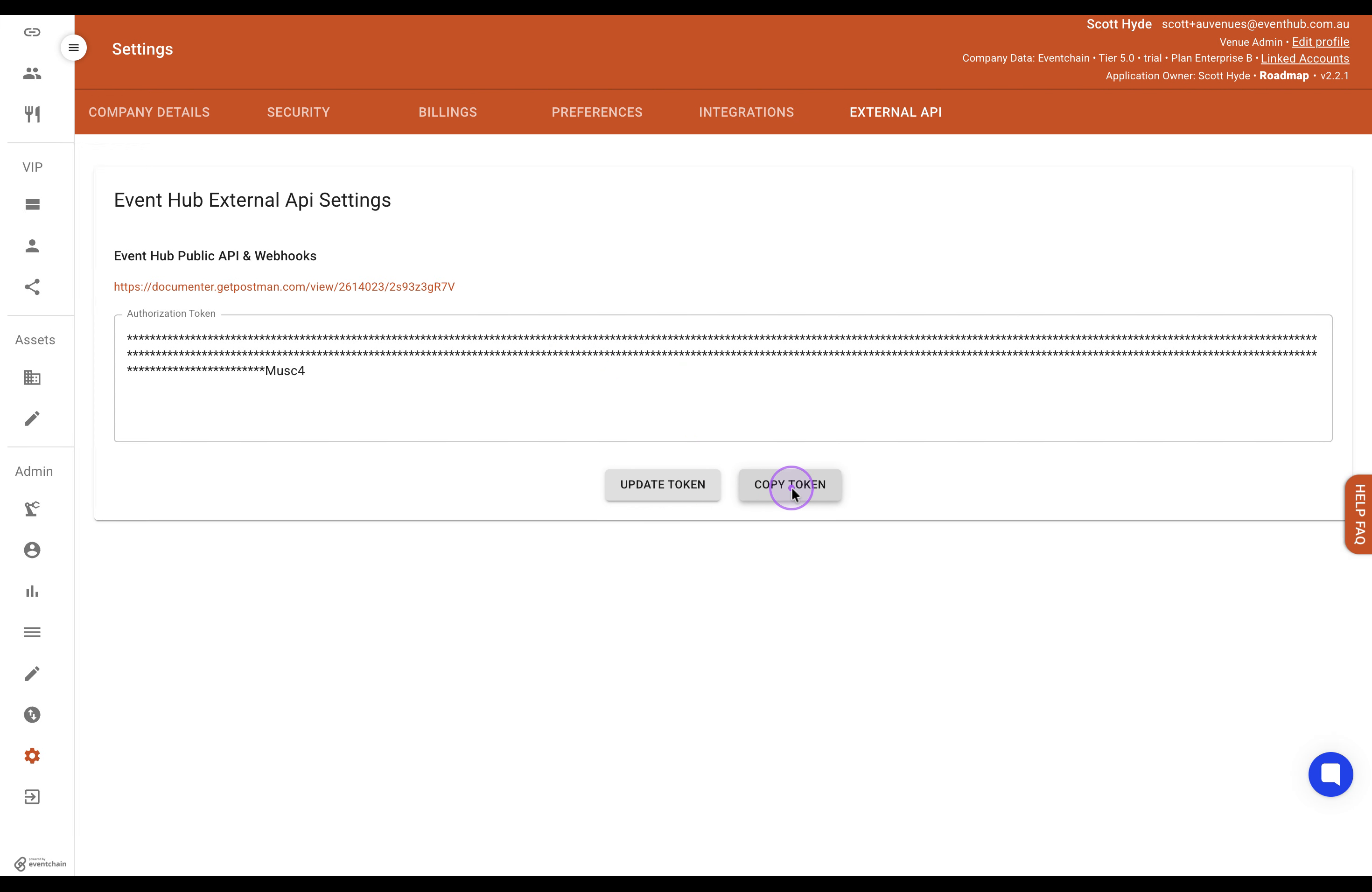
Note: Keep your API token secure and do not share it publicly. If you need to regenerate your token, use the 'UPDATE TOKEN' button.
For a GET endpoint that uses Bearer authentication, add an Authorization header with the word Bearer, one space, then your token:
curl --request GET 'https://api.eventhub.com.au/ownership?event_id=YOUR_EVENT_ID' \
  --header 'Authorization: Bearer YOUR_TOKEN'
Replace YOUR_TOKEN with your token only (no angle brackets). If it already starts with Bearer , do not add Bearer a second time. Keep the quotes around the header and URL. Replace the example URL and query parameters with the GET endpoint you want to call.
This is a GET example, not an instruction to change a POST endpoint or call an incoming webhook. Follow each doc's method and authentication requirements. Keep real tokens private; never include them in shared docs or URLs.