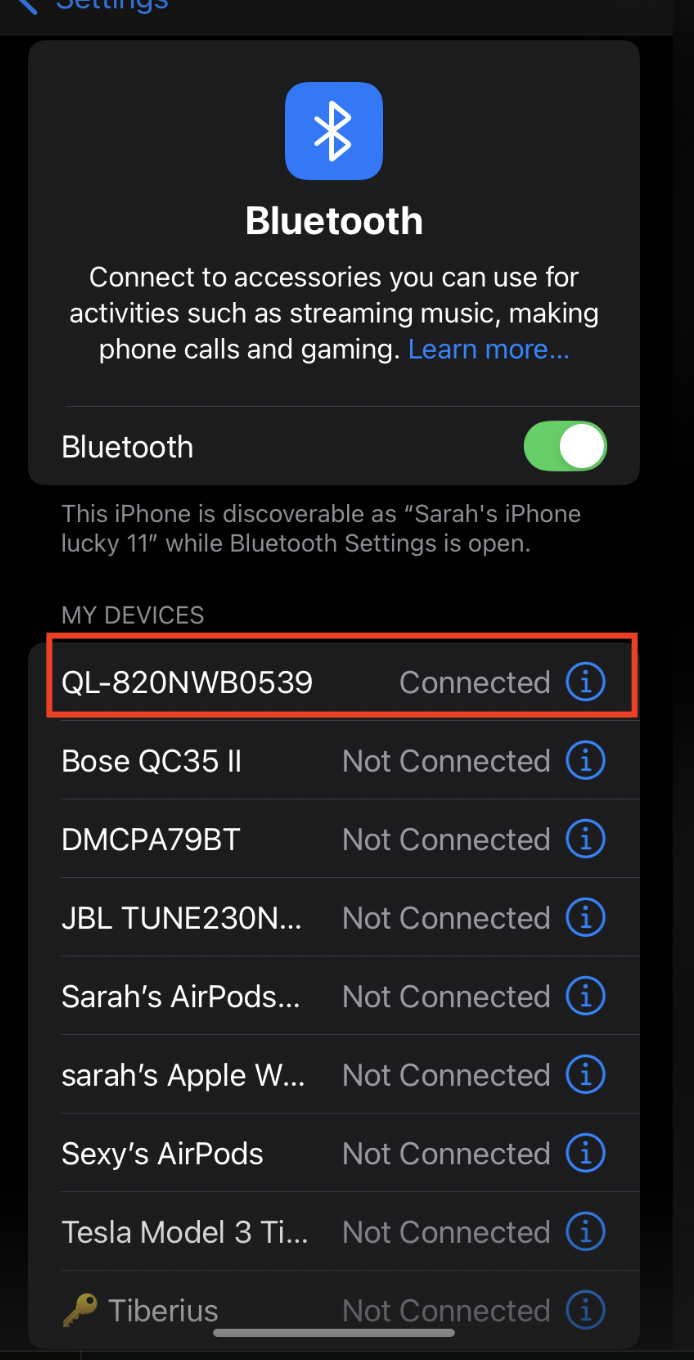
Our IOS app connects to the printer via BLUETOOTH
STEP 1
Make sure you have paired to the printer BEFORE logging into our app.
STEP 2
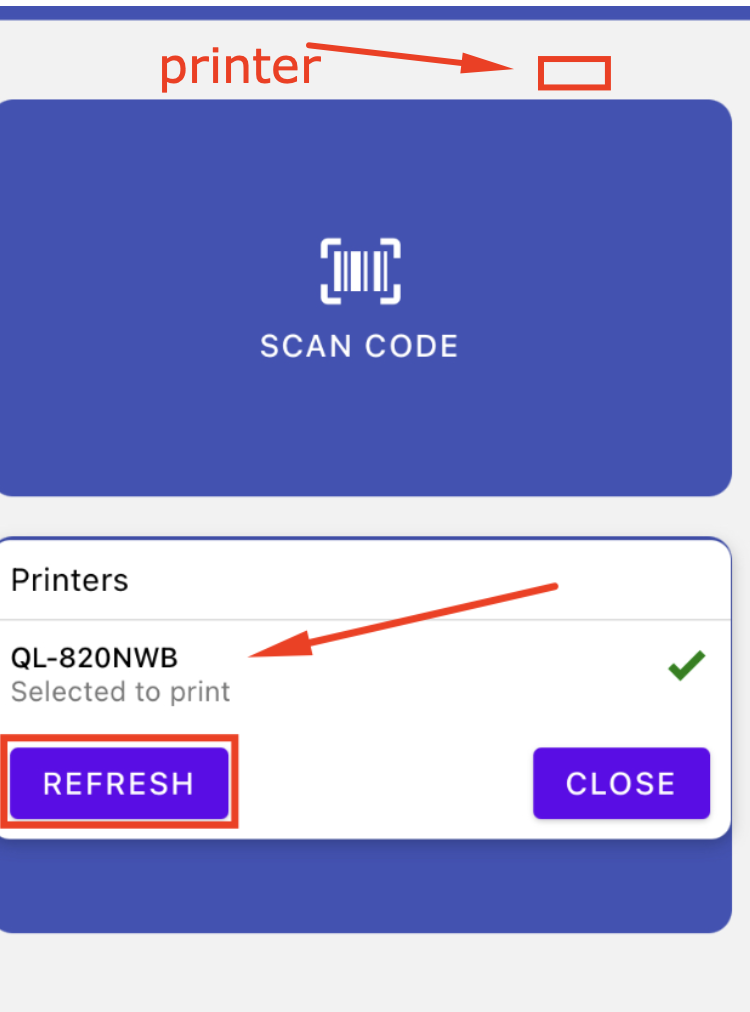
From with in the app - AFTER LOGIN - click the printer icon at top.
You should see this screen - printers list - click refresh to search printers connected to Bluetooth.
Choose the label printer. Click close.
STEP 3
Go to the Guest list - check-in any Guest - after check-in the Print screen will show.
If your happy PRINT. :)

