You can now send an animated invitation via Event Hub — it’s similar to sending a regular invite, but uses two EDMs (emails) instead of one:
There are two required EDMs in the process:
Pre-invite EDM (“Envelope”)
This is the first email the recipient receives. It serves as a gateway to the animated invitation page. The button (e.g. “Click for invitation”) should link to the animated webpage.
Remember to use the {{invitation_letter_link}} tag here.
Tip: You can find a sample template under Templates > Global > Other. You can customize it or contact us for help.
Invitation EDM
This is a standard invitation email, but with a twist: remove the YES/NO buttons, since these will be shown on the animation web page. Keeping the email shorter helps with readability.
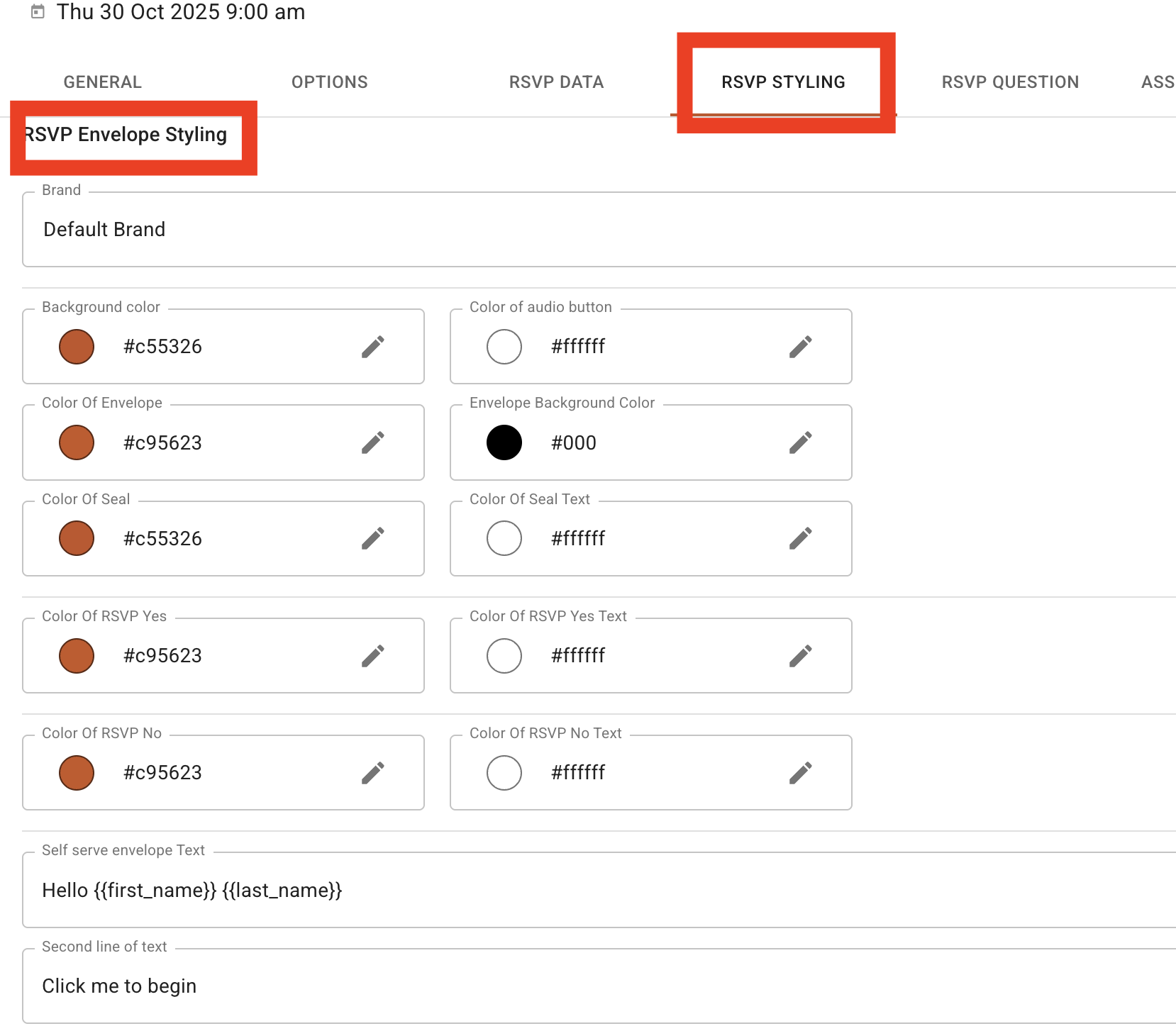
When someone clicks through from the envelope email, they’ll arrive at a styled, animated page. You have control over:
Envelope colour (HEX code)
Button colour (HEX code)
Background image (1920 × 1080 px, .jpg / .jpeg / .png / .gif)
Wax Seal (200 × 200 px)
Stamp (210 × 255 px)
Welcome text
Optional MP3 playback on click
Top tip: Use the same envelope and text colours in your pre-invite EDM and on the animated page to maintain a seamless visual flow.
This is located in settings » rsvp styling > animated invitation.
Invites should not exceed 600 px wide
The header image should take up no more than ⅓ of the EDM
Because buttons are removed, keep the content concise
When you go to send the invite, there’s one new toggle you’ll use — flip it to enable animation. The rest of the process is the same as sending a standard invite.
Build a pre-invite (envelope) EDM
Create the invitation EDM (without RSVP buttons)
Style the animation page (colours, media, stamps, etc.)
Send with the “animated invite” toggle turned on
Need help designing your first one? Just let us know — we’re happy to assist.